 LT HORVÁTH
Ender Magnolia, GIFs, and Hugo Shortcodes
I’ve never written anything specifically about video games before, but recently I played through a game called Ender Magnolia, and I wanted to share two cool examples of how the mechanics can elevate each other. As you can see, I did not do that right away…
Creating Clips in the 90s
In the beginning, I recorded two short clips, which were saved as mp4 files. Like nobody’s business, I converted them to gif with the help of the holy mother of software, ffmpeg.
ffmpeg -i double-pressure.mp4 double-pressure.gif
Shame on me, but I never checked the file size until I tried to push them to the repository. GitHub grabbed me by the collar and said: “Dude, this file is more than 100 megabytes…” I don’t have that original clip, but for comparison, here is the size of one of the files I still have:
-rw-rw-r--  1 me me  45M Sep  6 14:27 double-pressure.gif
-rw-rw-r--  1 me me 6.2M Sep  2 18:13 double-pressure.mp4
A GIF is a sequence of individual images, one for every frame. It does use lossless compression, but I did not make any deliberate effort to optimize it. (Side Story: This should have been trivial to me, because the first website I ever created was a GIF gallery of my own creations, and I made all the frames by hand.)
I tried to make the situation better with ffmpeg parameters that look like a text from some shamanistic ritual, but they are quite important.
ffmpeg -i double-pressure.mp4 -vf "fps=10,split[s0][s1];[s0]palettegen=max_colors=32[p];[s1][p]paletteuse" double-pressure.gif
The source video resolution is 720p, and I wanted to keep it that way. The frame rate is reduced to ten frames per second, and the color palette is reduced to 32 colors. The output is quite ugly, but at least the file is still huge: 22M.
This is how it looks after the resolution is halved:
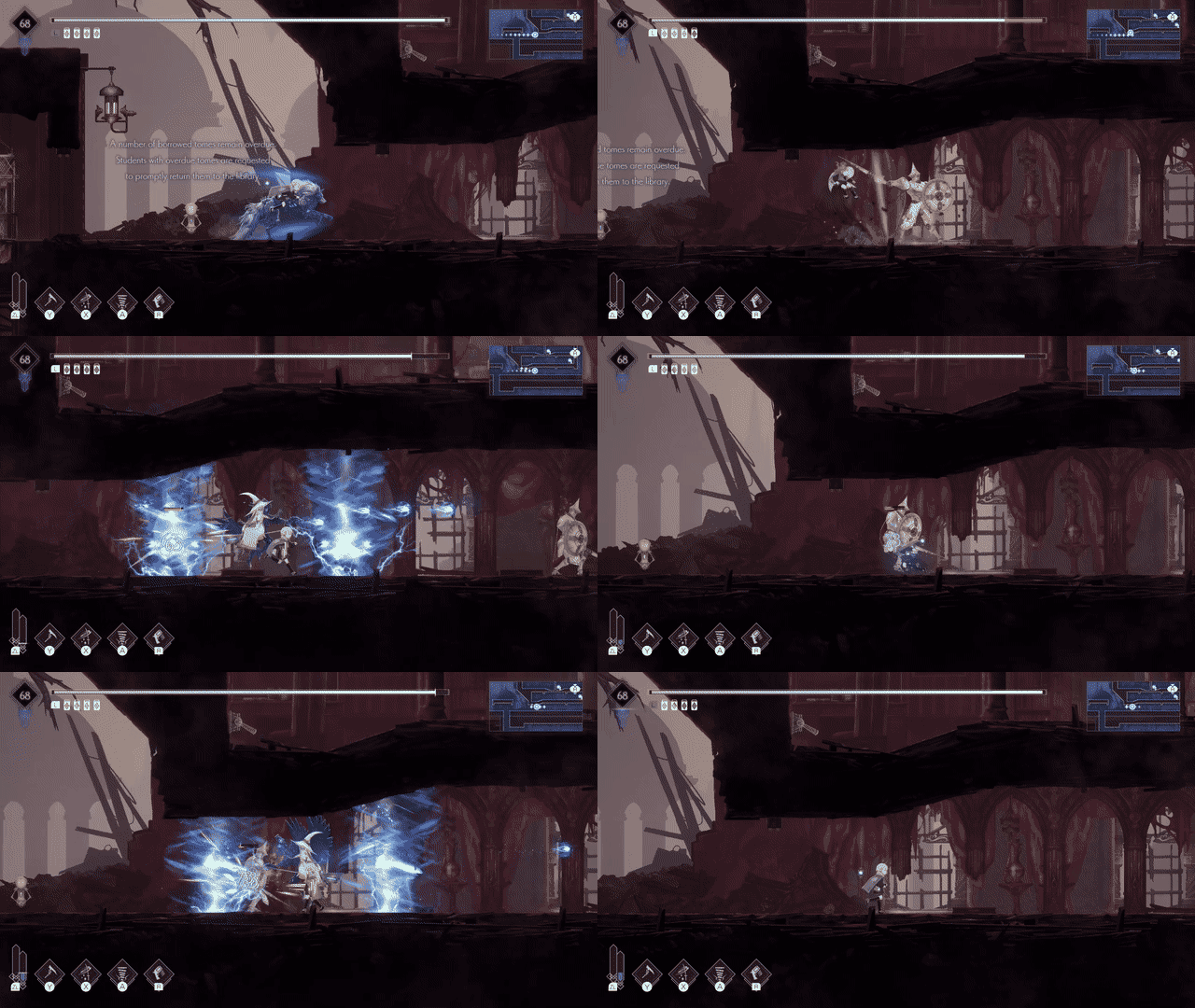
To be frank, this would work. Now it’s 5.9M, which is smaller than the original clip, but we can do better.
A More Desirable Approach
Using another format seemed more appropriate, so I wanted to convert the clip to webm, a video format that is widely supported by modern browsers. Like other video formats, WebM can use motion vectors to compress video by tracking changes between frames. This is more efficient than compressing every frame individually until we cannot even process what we see.
ffmpeg -i double-pressure.mp4 -c:v libvpx-vp9 -b:v 0 -crf 30 -an double-pressure.webm
The important part of the command is that the libvpx-vp9 codec is used. VP9 is an open video codec originally developed by Google for use with the webm format. The -crf parameter controls the quality of the output video, with lower values resulting in higher quality. -an disables audio, since we don’t need it for this clip.
This site is built with a static site generator, namely Hugo, which generates HTML from Markdown files. GIFs can already be embedded as images, but Hugo does not render a video tag, yet!
This site already has its own theme, so only a shortcode is needed to embed videos. This is a template file that lives in the dedicated layouts/shortcodes directory within the theme, with the following content:
<video width="100%" autoplay loop muted>
    <source src="{{ .Get "src" }}" type="video/webm">
</video>
This HTML embeds a video player that plays the video in a loop, muted and without controls. The src parameter is passed to the shortcode and specifies the path to the video file. The shortcode can be used in the Markdown file like this:
{{< video-clip src="double-pressure.webm" >}}
Favorite Tricks
After this much meandering, it’s time to talk about the actual game. Ender Magnolia is a metroidvania-style side-scrolling game with a very somber atmosphere, which I really, really love. The focus is on movement and combat, which are held together by progression systems based on equipment and abilities. These components play together beautifully.
The first example is a jump combo. There is a late-game ability that allows the player to traverse the map horizontally until they hit a wall, like I hit glass doors (based on a true story). But before that, we can use technique and talent!
There is a combat combo with three or four attacks, based on the equipped weapon. There is a movement combo as well, allowing the player to jump and dash twice in the air.
The combat and movement combos can be combined (combo-combo), resulting in: jump, attack combo, dash, attack combo, jump, attack combo, dash, attack combo. The mid-air combos of all the weapons move the player horizontally as well. In the clip below you can see the huge distance that can be covered, it is quite neat.
The second example is a combination of attacks that I will call double pressure. There are multiple types of attacks: primary, cooldown, autonomous, and pressure. A pressure attack is a continuous, multi-hit attack, and there are two pressure attacks that do not interrupt each other, so they can be used together. There are also two kinds of damage: health damage and break damage. Break damage chips away at an enemy’s shield and can stagger the enemy when the shield is depleted. One of the pressure attacks damages health, the other damages break.
This is total mayhem, but there is more. There is an item with a passive effect that heals one health point per hit. Pressure attacks hit many times in a short period, and there are two of them in action at the same time. Witness this trick in the clip below.
In the end, I did manage to write a little about video games. I hope you enjoyed it, and may your path in life be guided by ffmpeg flags!